


Blog
How to Clean a 510 Vape Battery and Cartridge Connection Safely

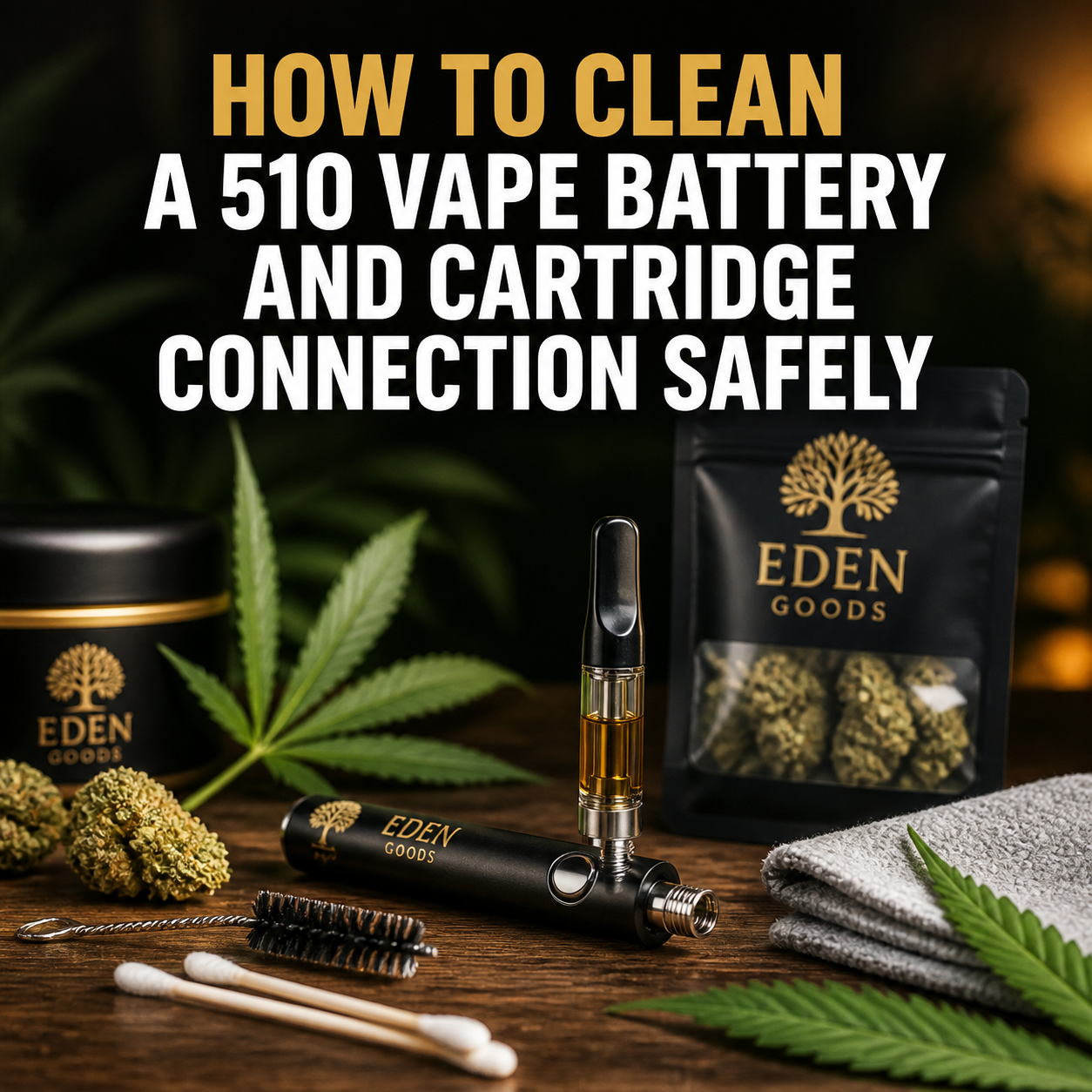
How to Clean a 510 Vape Battery and Cartridge Connection Safely
A sticky cartridge, unreliable connection, or flashing battery often starts with a small amount of residue around the 510 threads. Fortunately, learning how to clean a 510 vape battery is straightforward. Turn the battery off, disconnect the cartridge, remove loose residue, and clean the contact area with a lightly dampened swab. Never immerse the device or allow liquid to enter its charging port.
Careful cleaning can restore reliable electrical contact and may extend the usable life of your device. However, it cannot repair a damaged cell, broken connector, or leaking cartridge. If a battery becomes swollen, unusually hot, cracked, or wet inside, stop using it rather than trying to clean or repair it.
This guide explains what to use, what to avoid, and how to clean both sides of a standard 510 connection without damaging its delicate center contact.
Why Does a 510 Vape Battery Need Cleaning?
A 510 battery connects to a compatible cartridge through a threaded fitting. The outer threads hold the cartridge in place, while the small center contacts complete the electrical circuit. Both surfaces need to remain reasonably clean.
Vape oil can reach the connection when a cartridge leaks, becomes too warm, lies on its side, or experiences pressure changes. Condensation, dust, pocket lint, and residue from handling may also collect around the threads. Even a thin film can interfere with the connection.
Common signs that cleaning may help include:
- The battery flashes when you try to use it.
- The cartridge works only when positioned a certain way.
- The device displays a check atomizer or no atomizer message.
- The threads feel sticky or look dirty.
- The cartridge is difficult to attach or remove.
- A draw-activated battery responds inconsistently.
- Oil is visible around the base of the cartridge.
These symptoms do not always indicate dirt. They can also result from an incompatible cartridge, a failed heating element, an overtightened connector, or a defective battery. Cleaning is a sensible first step only when the device remains physically intact and safe to handle.
[[LIEN_INTERNE: cannabis vapes]]
What You Need to Clean a 510 Vape Battery
You do not need specialized equipment. The safest approach uses a few simple tools and as little cleaning liquid as possible.
| Item | Purpose | Important precaution |
| Cotton or foam swabs | Wiping the threads and contact surfaces | Use firm swabs that do not shed fibers easily |
| High-concentration isopropyl alcohol | Loosening oily residue | Use only a very small amount and keep it away from heat |
| Dry microfiber cloth | Cleaning the battery exterior | Do not push fabric into openings |
| Soft nylon brush | Removing dry debris from threads | Do not use a metal brush |
| Paper towel | Protecting the work surface | Keep the cartridge upright to limit leaks |
Isopropyl alcohol with a high concentration is generally preferred for electronic contact surfaces because it contains less water and evaporates quickly. The manufacturer’s care instructions always take priority, however. Some finishes, plastics, or seals may react poorly to solvents.
Apply alcohol to the swab rather than directly to the device. The swab should feel slightly damp, not wet enough to drip. Work in a ventilated area away from flames, sparks, hot coils, cigarettes, and other ignition sources. Isopropyl alcohol is highly flammable.
Cleaning products and tools to avoid
Improvised tools can create more serious problems than the original residue. Avoid the following:
- Running water or soaking the battery
- Household disinfectant sprays
- Bleach, acetone, or ammonia-based cleaners
- Perfumed wipes or wipes that leave lotion behind
- Metal pins, knives, tweezers, or wire brushes
- Compressed air aimed directly into the connector
- Hair dryers, heaters, or open flames
- Rice as a method for drying electronic components
Do not open the battery casing. A lithium-ion cell can short circuit, ignite, or release hazardous material if it is punctured or handled incorrectly. Internal battery work belongs with the manufacturer or a qualified electronics service.
How to Clean a 510 Vape Battery Step by Step
Choose a stable, well-lit surface. Keep cannabis products and cleaning supplies away from children and pets. If the cartridge contains cannabis, follow local laws for possession, storage, and disposal.
1. Turn off and disconnect the battery
Switch off the device before cleaning. Many button-operated batteries turn off after five rapid clicks, but controls vary. Consult the manual if you are unsure. A draw-activated model may not have an off switch, so handle it gently and avoid blowing or pulling air through it.
Disconnect the battery from its charger. Never clean a battery while it is charging. Remove the cartridge by holding its base and turning it slowly. Do not twist the glass or pull sideways, as this may damage the cartridge.
2. Inspect the battery before proceeding
Look at the casing, charging port, threads, and center contact. A little sticky residue is usually suitable for surface cleaning. Stop immediately if you notice swelling, deformation, deep cracks, corrosion, a chemical smell, liquid inside the casing, or signs of overheating.
Place an unsafe battery on a nonflammable surface away from combustible materials, provided you can do so without touching a hot or leaking cell. Contact an appropriate battery recycling or hazardous waste service for disposal guidance. Do not place a lithium-ion battery in household trash.
3. Remove loose debris with a dry swab
Start with a dry cotton or foam swab. Rotate it gently around the outer threads and across the accessible contact surface. A soft nylon brush can help remove lint from thread grooves.
This dry pass matters because it limits the amount of solvent required. It also prevents loose particles from turning into a paste when they become wet. Hold the connector downward when practical so dislodged debris falls out rather than moving deeper into the device.
4. Clean the 510 threads
Lightly dampen one end of a fresh swab with isopropyl alcohol. Press it against a paper towel if it looks saturated. Wipe around the threaded metal wall using slow, controlled movements.
For hardened oil, make several gentle passes instead of scrubbing forcefully. Replace the swab as it becomes dirty. Do not pour alcohol into the connector, and do not let it pool around the center pin. Excess liquid can travel beyond the visible surface and reach internal components.
5. Clean the center contact carefully
Use the tip of a barely damp swab to wipe the flat, accessible surface of the center contact. Apply minimal pressure. The contact often sits on an insulating ring that separates it from the outer thread. Damaging that ring could cause an electrical short.
Some online instructions recommend prying up a recessed contact with a knife, pin, or screwdriver. This is risky. A metal tool can tear the insulator, bridge the positive and negative contacts, or puncture nearby components. If the contact appears sunken, loose, or misaligned, contact the manufacturer or replace the device.
6. Dry the connection completely
Wipe the area with the dry end of a clean swab. Leave the battery disconnected in a ventilated place until every cleaned surface is fully dry and no alcohol odor remains. Do not reconnect the cartridge simply because the exterior looks dry.
Drying time depends on how much liquid was used, the connector design, and room conditions. Never speed up the process with direct heat. Before reassembly, check the charging port as well. It must remain clean and completely dry.
How to Clean the 510 Cartridge Connection
Cleaning only the battery may allow residue from the cartridge to transfer straight back to it. Inspect and clean the cartridge base at the same time.
- Keep the cartridge upright to reduce the chance of further leakage.
- Wipe the threaded base with a dry swab.
- Use a barely damp alcohol swab on the exterior metal threads if necessary.
- Gently wipe the cartridge’s bottom contact without pressing it inward.
- Avoid getting alcohol into airflow holes or the cartridge chamber.
- Allow the base to dry completely before reconnecting it.
Do not soak a cartridge in alcohol. Do not try to rinse its internal chamber. Alcohol or water that reaches the oil, heating element, or wick can affect performance and may make the cartridge unsuitable for use.
If oil continues to appear around the base, the cartridge may have a failed seal or internal leak. Cleaning will remove the residue but will not correct the cause. Keep the cartridge upright, stop using it if it is damaged, and follow the seller’s or manufacturer’s replacement and disposal guidance.
What about the mouthpiece?
You may wipe the outside of a removable mouthpiece with a suitable clean cloth, provided the manufacturer permits it. Avoid pushing liquid into the airway. If the mouthpiece is blocked, follow the cartridge maker’s instructions rather than inserting sharp tools. A blockage can involve thick oil or an internal component that surface cleaning cannot reach safely.
How to Handle Stubborn Vape Oil Residue
Thick cannabis oil can be difficult to remove, especially after it has collected dust. Patience works better than extra solvent.
Place the disconnected battery on a protected surface at normal room temperature. Use repeated passes with lightly dampened swabs, changing them frequently. A soft brush can loosen residue from the outer grooves after the oil begins to soften. Finish with a dry swab.
Do not heat the battery or cartridge to liquefy residue. High temperatures can stress the cell, increase cartridge leakage, and create a fire risk. Freezing is also unsuitable because condensation may form as the device warms again.
If the cartridge has become bonded to the battery, do not use pliers on the glass tank. Turn the cartridge from its metal base with gentle, steady pressure. Stop if the glass twists, the connector moves, or the battery casing flexes. A repair shop or manufacturer may offer safer advice for the specific model.
Troubleshooting After Cleaning a 510 Vape Battery
Once both contacts are completely dry, attach the cartridge using fingertip pressure. It should sit securely, but it does not need to be forced. Overtightening may push down the contacts, damage the threads, or compress the cartridge seal.
| Problem | Possible cause | Safe next step |
| Battery flashes with cartridge attached | Poor contact, short circuit, low charge, or incompatible cartridge | Disconnect it, recheck for residue, and consult the device manual |
| No vapor or response | Battery is off, discharged, or not detecting the cartridge | Confirm the controls and test only with a known compatible cartridge |
| Cartridge works intermittently | Dirty, worn, recessed, or loose contact | Stop forcing the connection and contact the manufacturer |
| Battery will not charge | Dirty port, damaged cable, failed charger, or battery fault | Use the approved charger and discontinue use if heat or damage appears |
| Oil quickly returns | Cartridge seal or internal structure may be leaking | Replace the cartridge rather than repeatedly cleaning the battery |
When testing, use only a cartridge whose resistance and design are compatible with the battery. If one cartridge fails but another compatible cartridge works, the first cartridge is likely the problem. If several compatible cartridges fail on the same clean battery, the battery may need replacement.
Never continue pressing the button when the device flashes an error, smells burnt, or becomes unusually hot. Disconnect the cartridge if it is safe to do so and let the device cool on a nonflammable surface.
How Often Should You Clean a 510 Battery?
There is no universal cleaning schedule. Usage, cartridge quality, storage conditions, and device design all influence residue buildup. A quick visual check whenever you change cartridges is often enough to catch leaks early.
Clean the connector when you see oil, dust, or lint, or when attachment begins to feel sticky. Frequent deep cleaning should not be necessary. If you need to clean the connection every few days, investigate the cartridge rather than repeatedly exposing the battery to solvent.
Habits that can help keep the connection clean
- Store the battery and cartridge upright when the manufacturer recommends it.
- Avoid leaving the device in a hot car or direct sunlight.
- Do not overtighten the cartridge.
- Keep the connector covered or stored in a clean case when disconnected.
- Check cartridges for cracks and leaks before installation.
- Keep the device away from water, humid bathrooms, and loose pocket debris.
- Use only compatible chargers and cartridges.
Extreme heat can thin the oil and encourage leaks. Very cold conditions may make oil thicker and affect performance. Allow the device to return gradually to room temperature before use, without applying direct heat.
When Cleaning Is Not Enough
Surface cleaning can address residue and poor contact. It cannot make a damaged lithium-ion battery safe. Replace the battery if the casing is swollen, cracked, corroded, punctured, or deformed. The same applies if it overheats during normal use, activates unexpectedly, emits an unusual smell, or shows evidence of internal moisture.
Stop using a cartridge with cracked glass, a loose center post, persistent leaking, or damaged threads. Do not transfer oil from a broken cartridge unless the product manufacturer provides a safe, approved method. Skin contact and contamination can occur during improvised transfers.
If cannabis is used for medical reasons, cleaning a device does not address changes in symptoms, dosing, side effects, or treatment suitability. Discuss those concerns with a qualified healthcare professional. Device maintenance should never replace medical advice.
Frequently Asked Questions
Can I use rubbing alcohol to clean a 510 battery?
A small amount of high-concentration isopropyl alcohol can help clean accessible metal contacts if the manufacturer permits it. Apply it to a swab, never directly to the battery, and let the connection dry completely.
Can I clean a vape battery with water?
No. Water can enter the casing, damage electronics, and increase the risk of corrosion or a short circuit. Never rinse or immerse a vape battery.
Why does my 510 battery blink after cleaning?
It may detect a poor connection, short circuit, incompatible cartridge, or low charge. Disconnect the cartridge and check the manual. Stop using the device if it heats up or appears damaged.
How long should a vape battery dry after cleaning?
Wait until every surface is completely dry and no alcohol odor remains. The time varies with the connector and the amount of alcohol used. Do not use heat to accelerate drying.
Should I clean inside the cartridge?
No. Limit cleaning to accessible exterior surfaces unless the manufacturer gives different instructions. Liquid inside the chamber, airway, wick, or heating element can damage the cartridge.
Can I lift the center pin if the cartridge does not connect?
Do not pry the pin with a metal tool. This may damage its insulating ring or cause a short circuit. Contact the manufacturer if the center contact appears recessed or loose.
Why does oil keep leaking onto my battery?
Persistent residue often points to a leaking cartridge, damaged seal, heat exposure, or unsuitable storage. Replace a defective cartridge instead of relying on repeated cleaning.
Conclusion
Knowing how to clean a 510 vape battery can help prevent sticky threads and unreliable cartridge contact. Disconnect the device, begin with a dry swab, use only a trace of isopropyl alcohol when needed, and allow every part to dry before reassembly. Clean the cartridge base at the same time so residue does not transfer back to the battery.
Safety comes first. Never immerse the battery, insert metal tools into the connection, or attempt to repair a swollen or overheating lithium-ion cell. When cleaning does not resolve the problem, replacement is safer than forcing the connector or opening the casing.
Explore the relevant Eden Goods selection through [[LIEN_INTERNE: cannabis vapes]]. For additional everyday care and comfort solutions, discover the Sphère Santé product range.